Mobile Apps – UX Guidelines
Introduction
About This Document
This document outlines the UX guidelines to avoid accidental CTRs for widgets. This document additionally lays out the guidelines for images & text used in widgets.
Recommendation Area Guidelines
Non-clickable areas in the recommendation area 1, 3
 At least 20px "safe zones" from top/bottom & left/right edges of the mobile screen
 At least 20px of vertical/horizontal spaces between clickable areas of two recommendations
 3% of the left and right edges of the recommendation area (unless this is covered by A or B)
 5% of the top & bottom edges of the recommendation area (unless this is covered by A or B)
Time Delay Guidelines 2, 4
The click will not count if the action taken by a user is less than a second after the widget is visible.
- From Google's article "Better click quality on display ads improves the user and advertiser experience": "Blocking clicks that happen close to the image edge: On mobile image ads, we've identified the image border as an area prone to accidental clicks when users are trying to click or scroll to adjacent content. Now, they must click on a more central part of the image to navigate to an advertiser's website or app.."
- From Google's article "Better click quality on display ads improves the user and advertiser experience": "Adding a clickability delay: Ads will only become clickable after they've been onscreen for a short period of time. This gives users enough time to examine the content of an ad and helps eliminate accidental clicks from users who didn't expect to see an ad."
- From Google's article "Preventing accidental clicks for a better mobile ads experience": "Not surprisingly, we found super-fast clicks on ads to provide little to no value to advertisers. That's why we ignore fast clicks that we detect to be accidental immediately upon ad load. Rather than our ads causing surprise low quality clicks, users can continue on uninterrupted."
- From Google's article "Preventing accidental clicks for a better mobile ads experience": "Not surprisingly, we found super-fast clicks on ads to provide little to no value to advertisers. That's why we ignore fast clicks that we detect to be accidental immediately upon ad load. Rather than our ads causing surprise low quality clicks, users can continue on uninterrupted."
The images below illustrate the clickable & non-clickable areas on a recommendation:
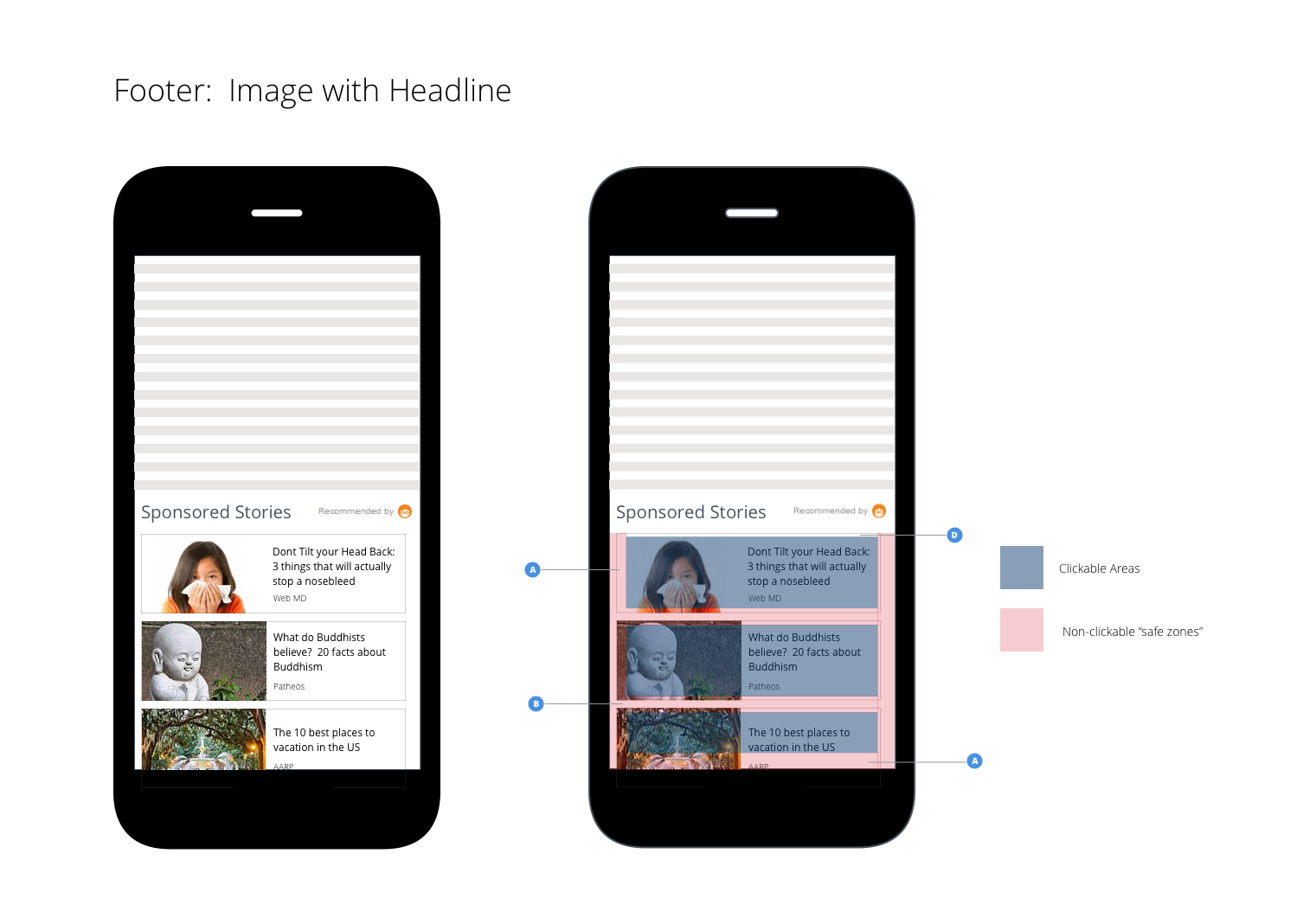
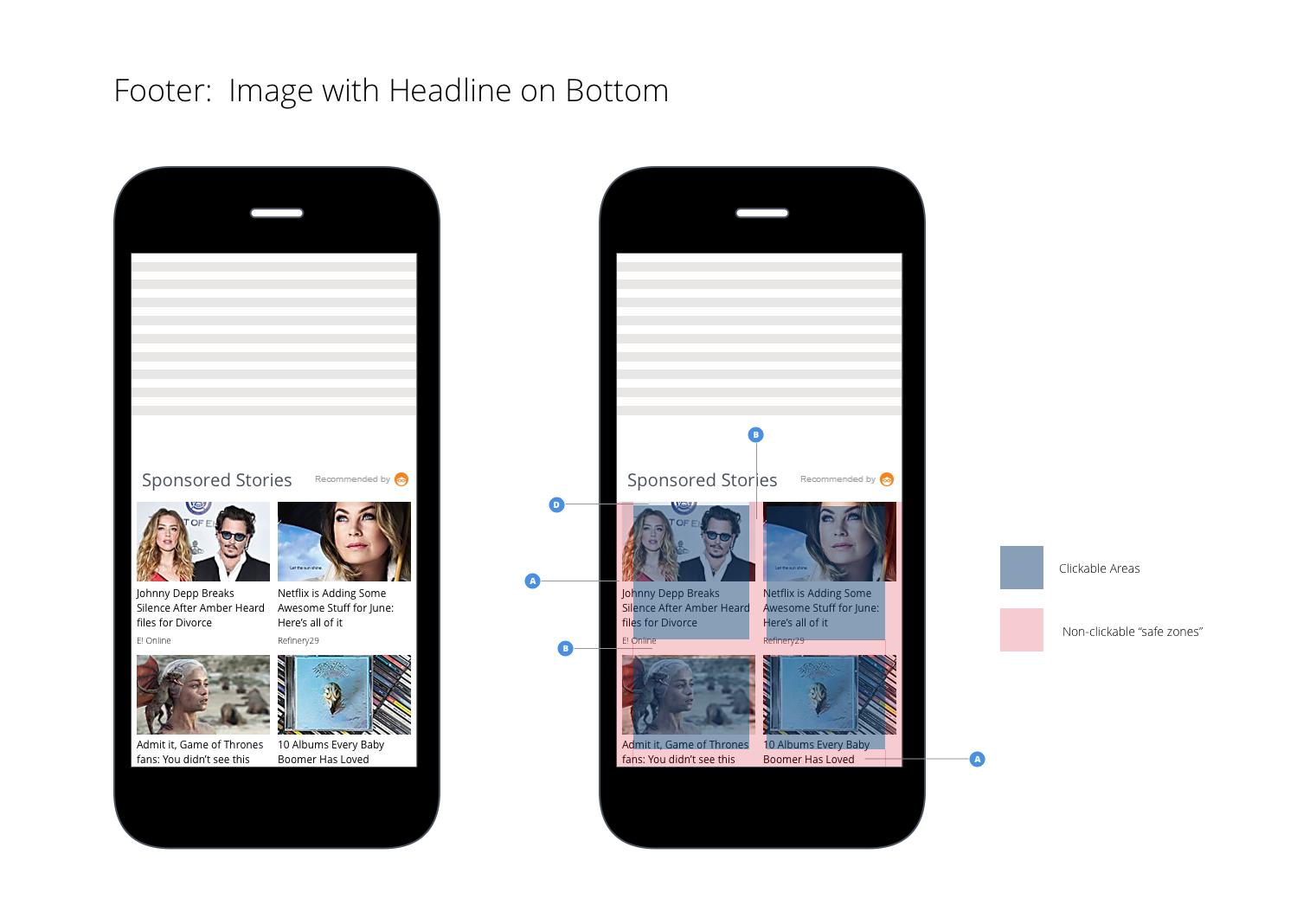
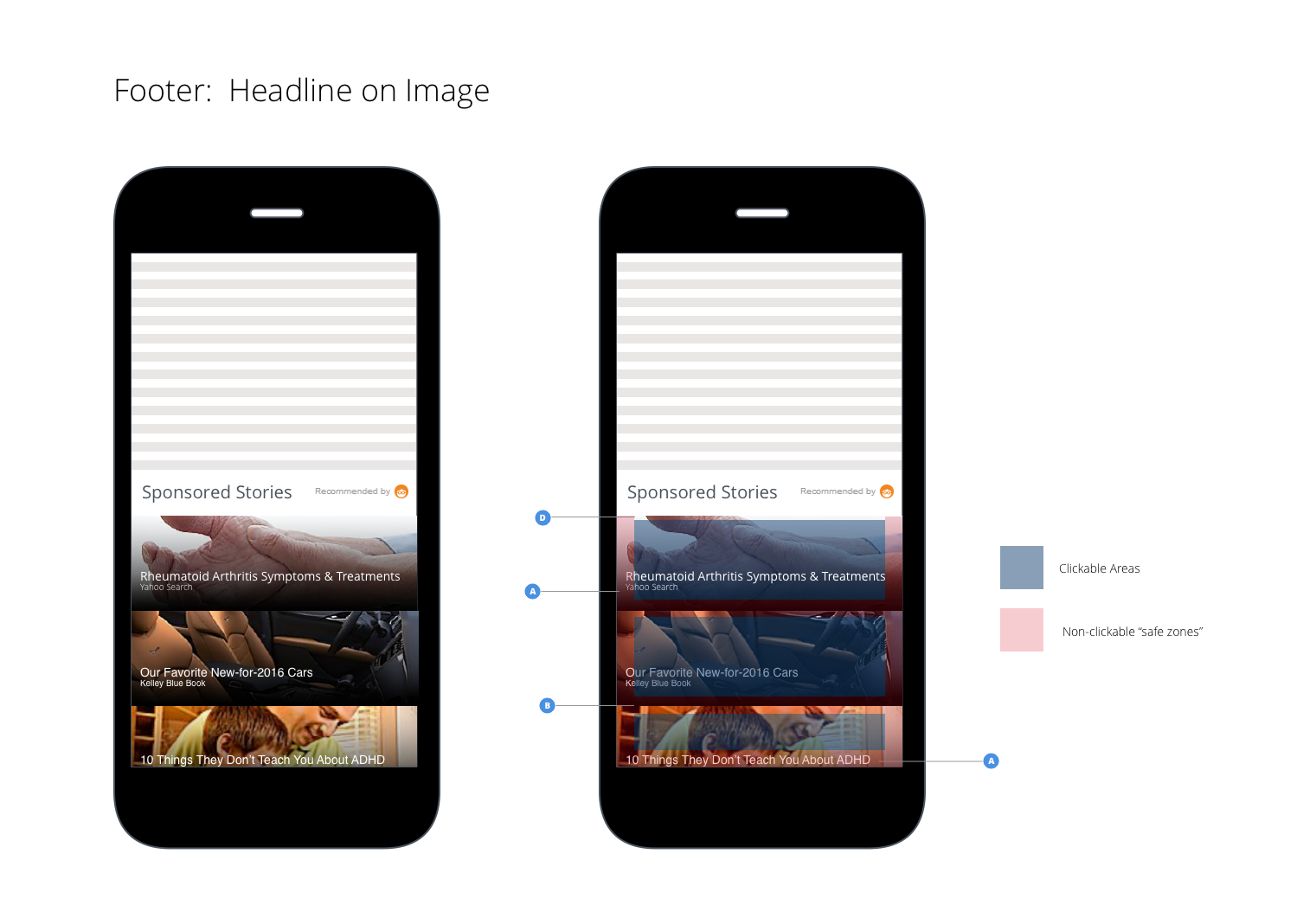
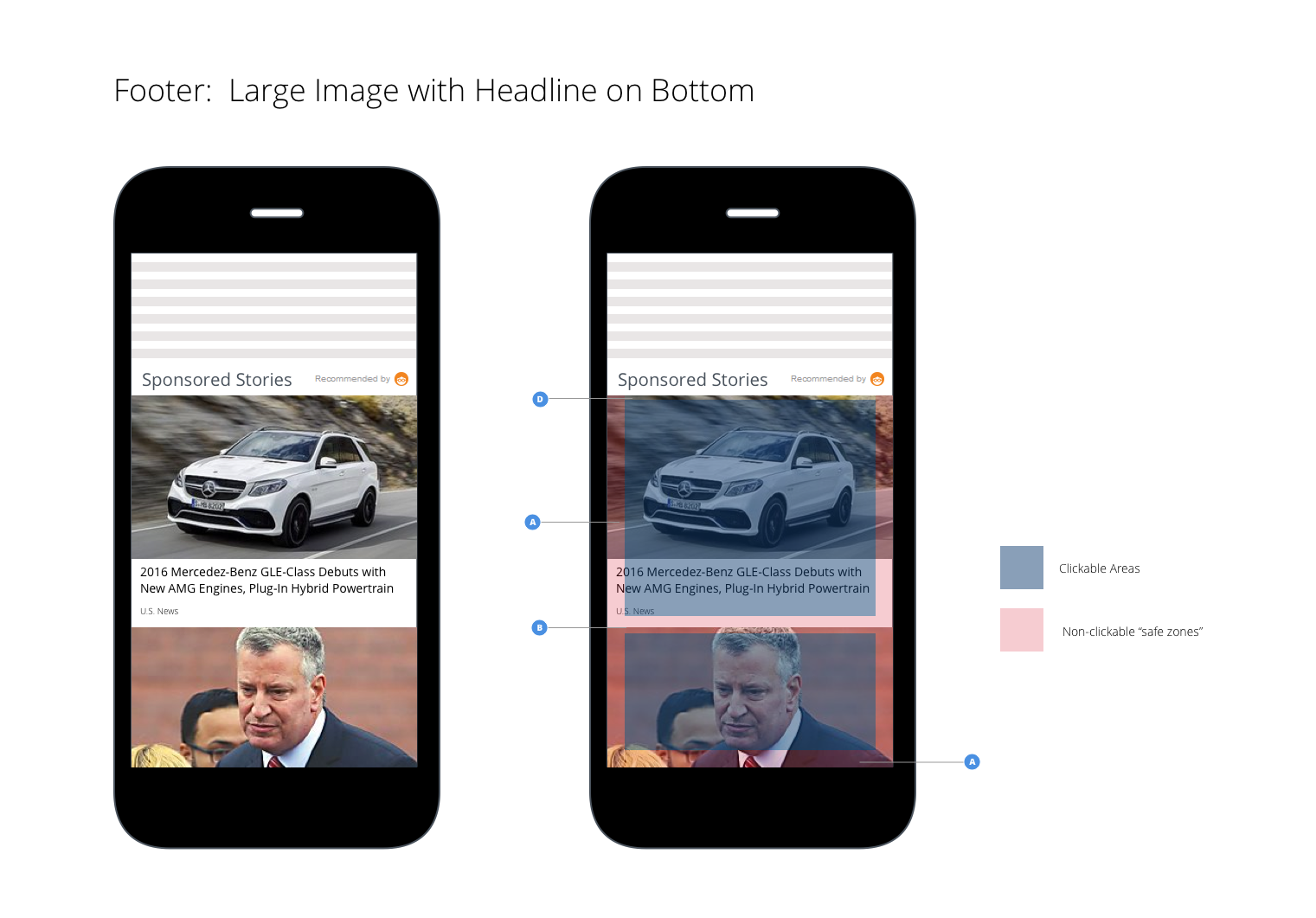
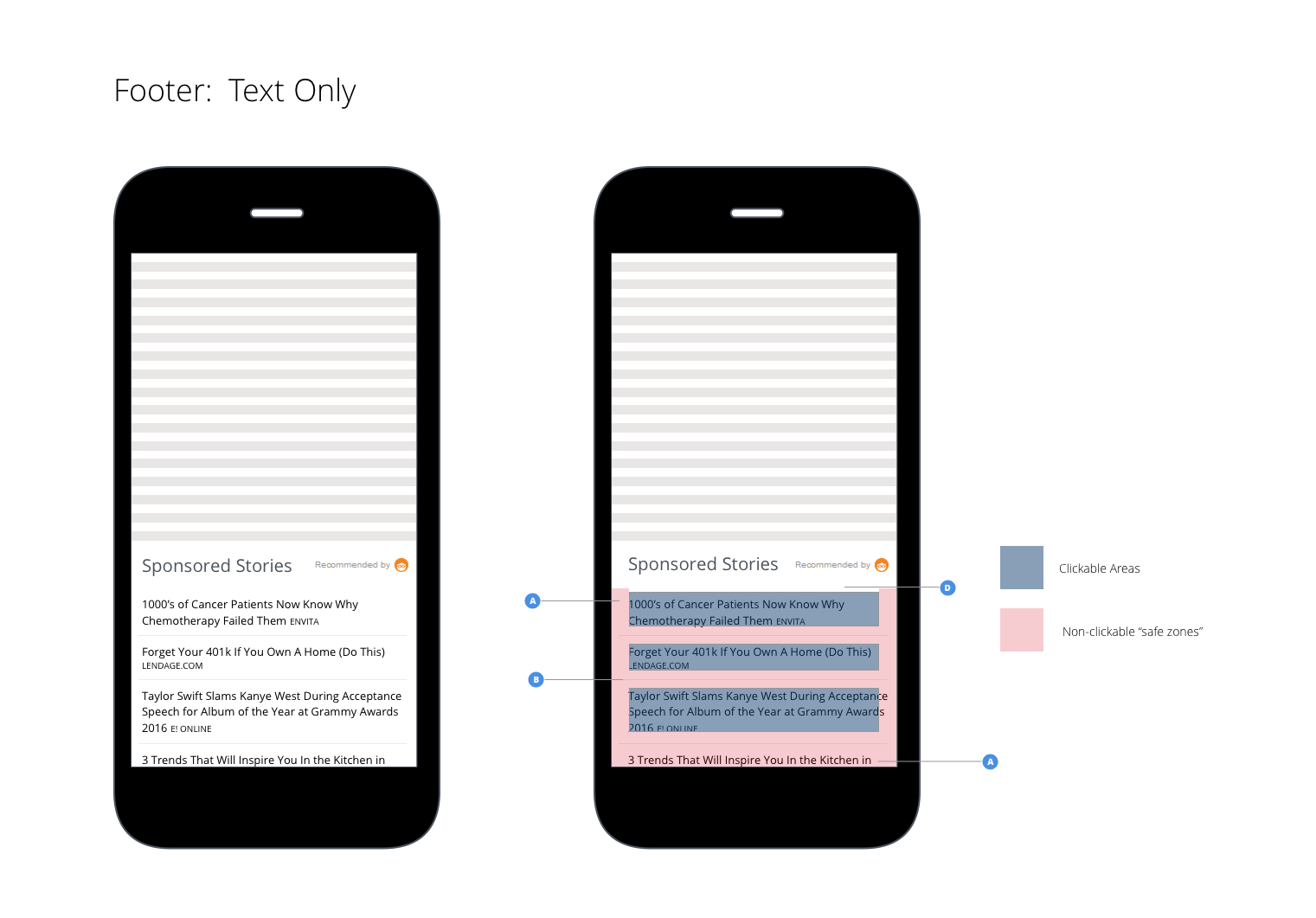
Image & Text Guidelines
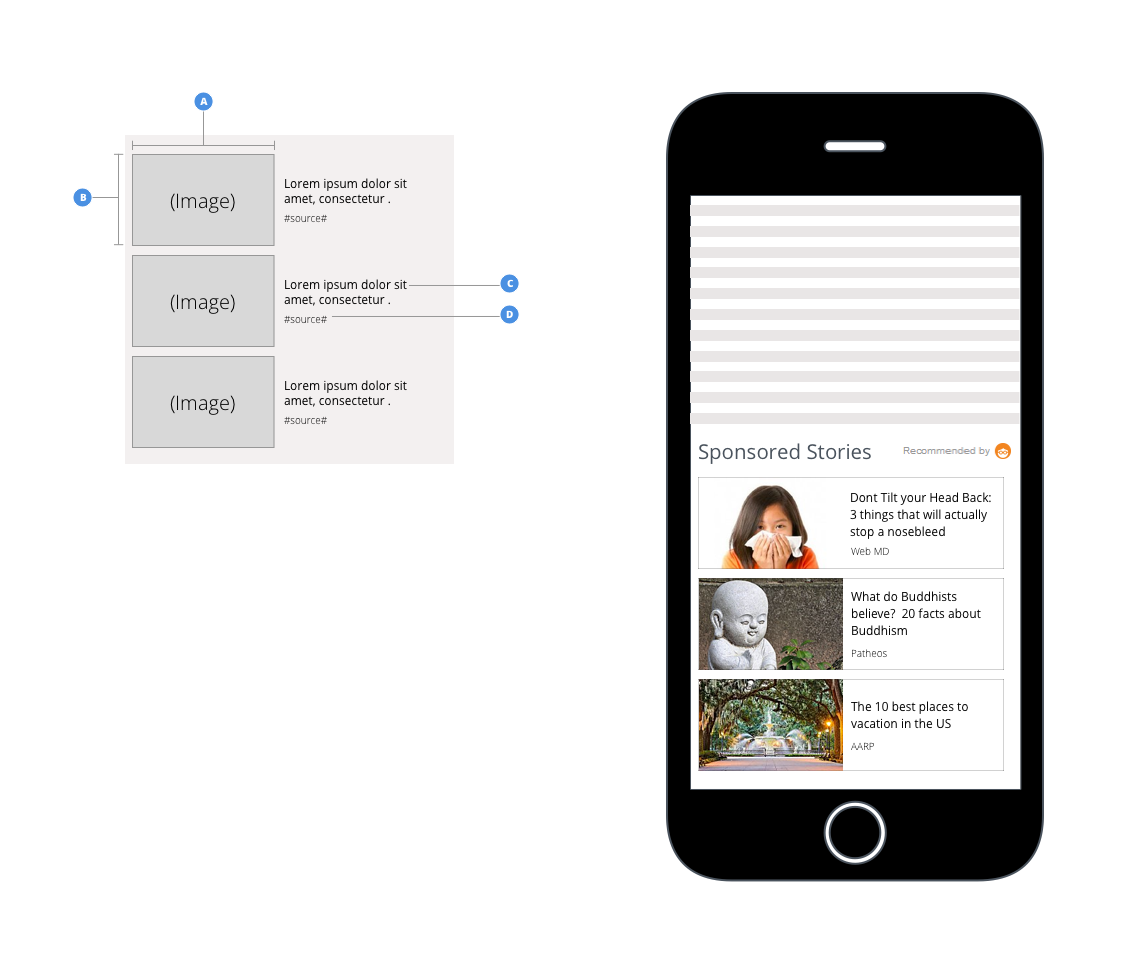
The images below lay out the guidelines for images and text for a recommendation:
Footer: Image with headline
Image Width
- Minimum: 20% of the recommendation area width
- Maximum: 50% of the recommendation area width
Image Height
- Minimum: 95% of the recommendation area height
- *image height should NOT be bigger than the image width
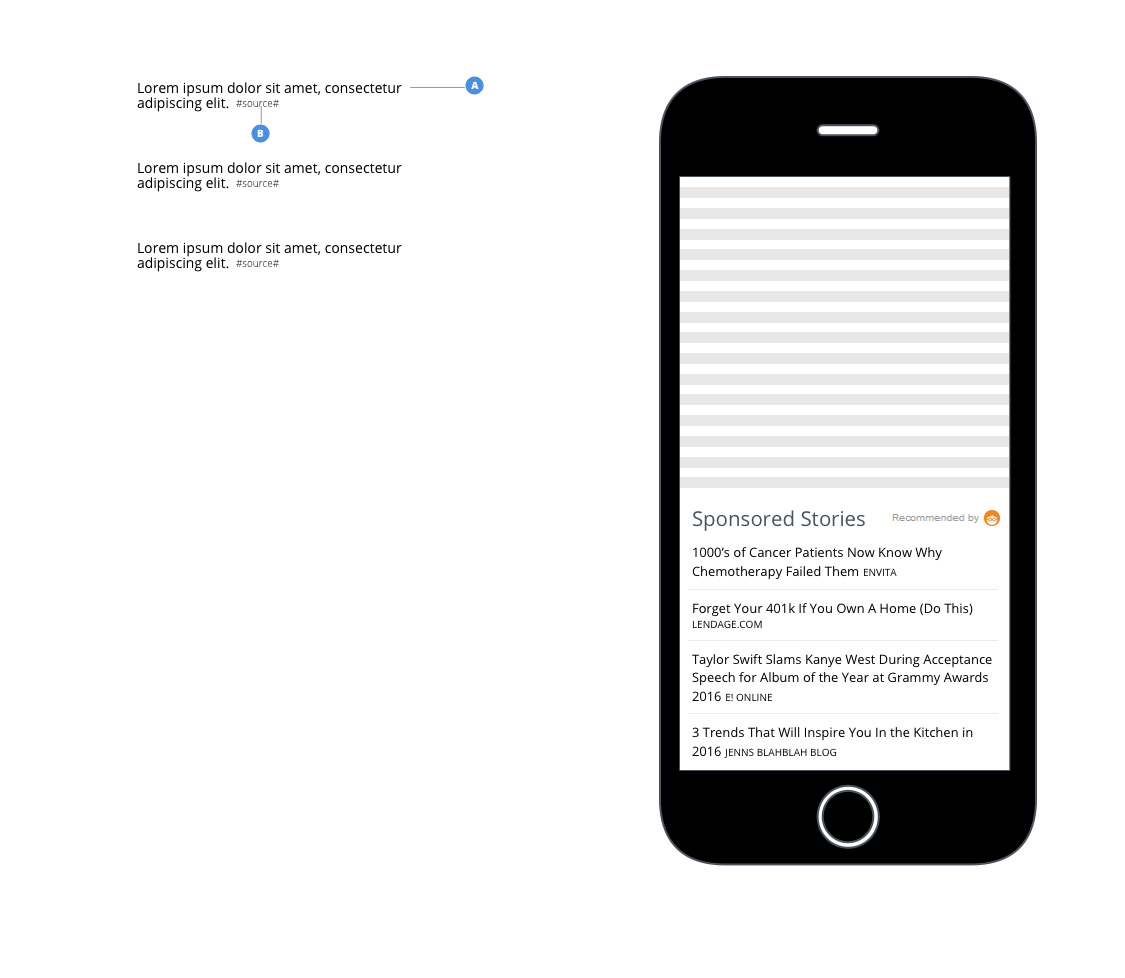
Recommendation Text Size
- Minimum: 12px
- Maximum: 16px
Source Text Size
- Minimum: 9px
- Maximum: 10px
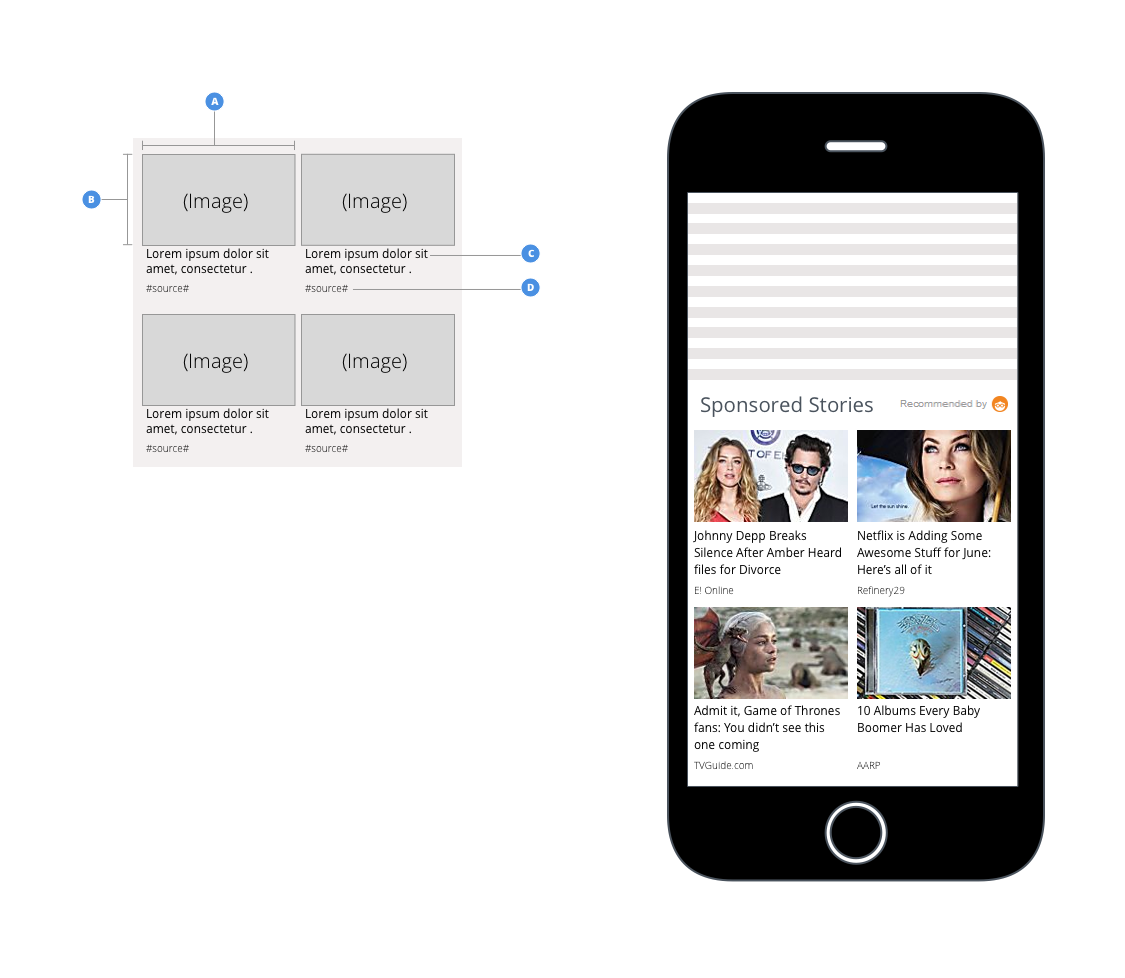
Footer: Image with Headline on Bottom
Image Width
- Must be 100% of recommendation area width
Image Height
- Minimum: 60% of the recommendation area height
- Maximum: 100% of recommendation area width
Recommendation Text Size
- Minimum: 12px
- Maximum: 16px
Source Text Size
- Minimum: 9px
- Maximum: 10px
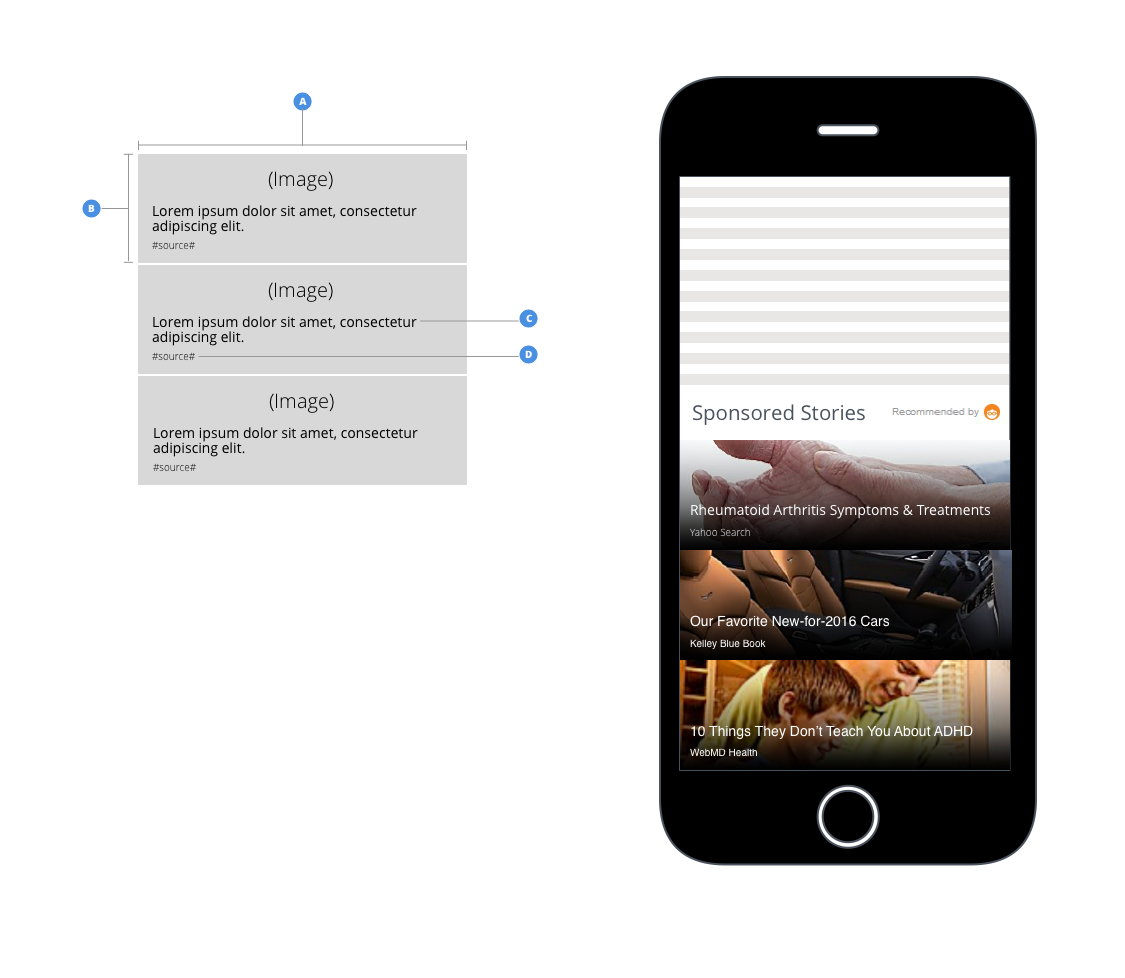
Footer: Headline on Image
Image Width
- Must be 100% of recommendation area width
Image Height
- Minimum: 33% of the image width
- Maximum: 100% of the image width
Recommendation Text Size
- Minimum: 12px
- Maximum: 16px
Source Text Size
- Minimum: 9px
- Maximum: 10px
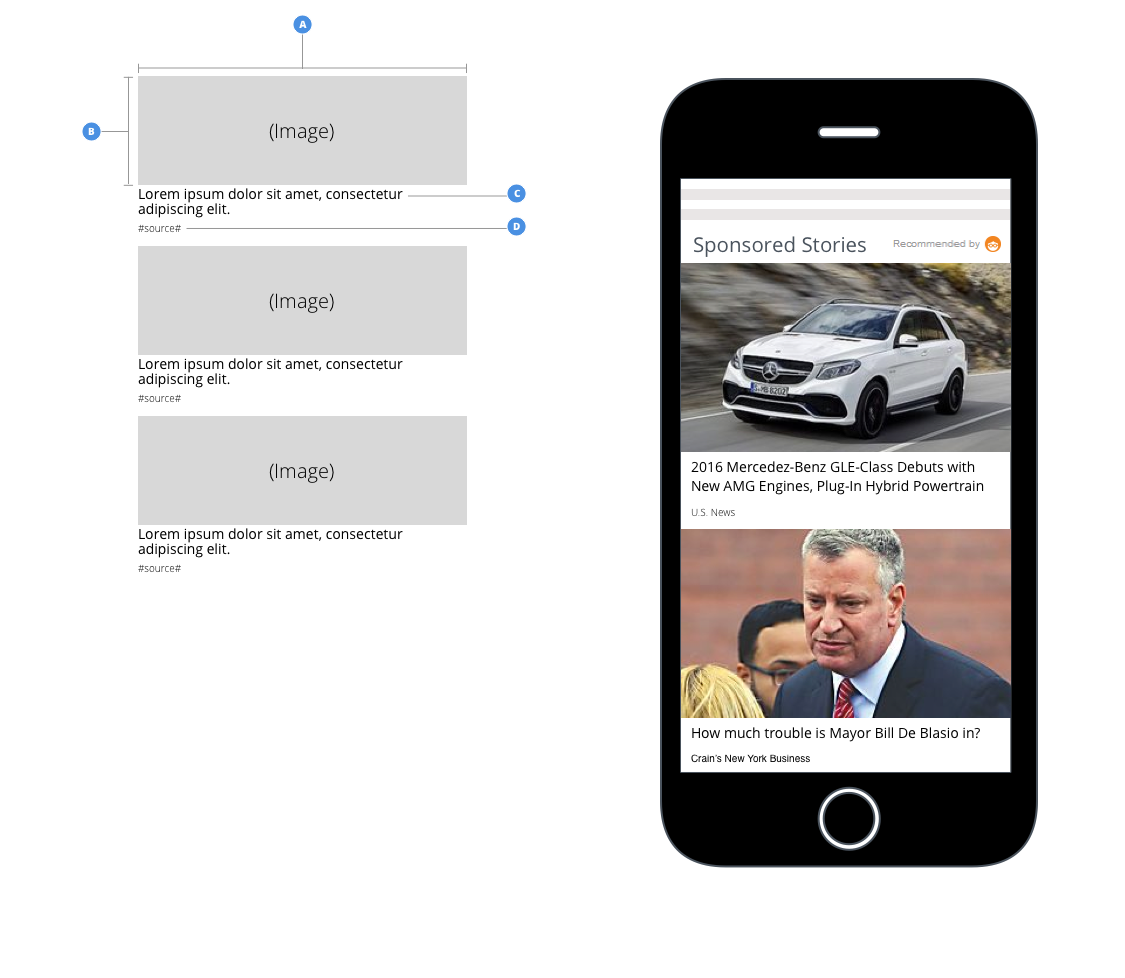
Footer: Large Image with Headline on Bottom
Image Width
- Must be 100% of recommendation area width
Image Height
- Minimum: 33% of the image width
- Maximum: 100% of the image width
Recommendation Text Size
- Minimum: 12px
- Maximum: 16px
Source Text Size
- Minimum: 9px
- Maximum: 10px
Footer: Text Only
Recommendation Text Size
- Minimum: 12px
- Maximum: 16px
Source Text Size
- Minimum: 9px
- Maximum: 10px